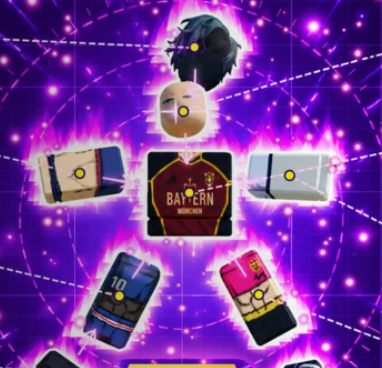
 Build A Striker
 Codes (October 2026)
Quickly copy recently reported Build A Striker codes, check their reward sources, and learn how to redeem them. Reported does not mean we tested the code ourselves.
Latest Reported Build A Striker Codes
Reviewed against publicly available code guides on October 29, 2026. These are not individually tested in our own Roblox session.
The list below is deliberately labeled Recently reported rather than Active or Working. Code status can change without notice, and one code may have already been used on your account. The copy buttons copy only the code string and never request your Roblox password.
Reported reward amounts for STRIKER and EGOIST differ between sources. Keep the code as a candidate, but do not treat either reward as a confirmed fact until you redeem it in the game. The separate spelling QUOTES appears on some sites, while other sites report QUEUES; we exclude unconfirmed variants from the primary list.
| Code | Reported reward | Source | Copy |
|---|---|---|---|
CRYSTAL | 1 Shiny Crystal | Pocket Tactics | |
CHEMISTRY | 25 team + 25 player rerolls | Pocket Tactics | |
DESTROYED | 15 team + 15 player rerolls | Pocket Tactics | |
FLOW | 25,000 Yen | Pocket Tactics | |
AWAKENED | 25 team + 25 player rerolls | Pocket Tactics | |
BALLTAG | 15 team + 15 player rerolls | Pocket Tactics | |
RELEASE | 15 team + 15 player rerolls | Pocket Tactics | |
QUEUES | 10 team + 10 player rerolls | Pocket Tactics | |
STRIKER | Reward reports conflict (player vs team rerolls) | Pocket Tactics / other guides | |
EGOIST | Reward reports conflict (team vs player rerolls) | Pocket Tactics / other guides |
These codes are reported by third-party guides; check the actual game response.
How to Redeem Codes in Build A Striker
Multiple published guides describe a Settings-menu redemption field. The exact layout can change after updates.
- Check prerequisites: Some guides say to join the Wild Card Roblox group and like the game before redemption. If the game requires this, use the legitimate Roblox UI.
- Launch the official game: Open the Build A Striker experience from the developer-linked Roblox page, not an unrelated login site.
- Open Settings: Guides place the code entry field near the bottom of Settings. Locate the input in your current game version.
- Paste and redeem: Use Copy next to the code, paste it without spaces, and press the in-game Redeem action.
- Check the actual response: Only a successful in-game message or changed inventory can confirm that a code worked for your account.
Why Is My Build A Striker Code Not Working?
Check the characters first
Paste the entire code without extra spaces or a line break. Some sources disagree on QUEUES versus QUOTES, so verify the exact spelling against the developer announcement when possible.
Look for account or update limitations
A code may have expired, already been claimed on your account, or depend on a group/like condition. Those are troubleshooting possibilities, not claims that any individual entry has expired.
Try a current Roblox server
After an update, some guides recommend relaunching the experience if a newly published code fails. Do not assume relaunching guarantees redemption or any reward.
Codes That Need Rechecking
STRIKER: Pocket Tactics reports ten player rerolls, while some other lists report ten team rerolls. EGOIST: sources also disagree between team and player rerolls. Do not claim exact rewards as verified until an in-game observation resolves the conflict.
QUEUES appears in several current code roundups. QUOTES appears in some other third-party pages; we have not established that both are valid. Treat the alternative spelling as unverified rather than presenting a new free reward.
No expired-code inventory has been independently established by this site. We will only move a code into an expired list after reliable confirmation, not merely because one user experiences a redemption failure.
When to Use Reroll Codes in Build A Striker
If a reported code gives a team reroll or player reroll in your current version, first understand what the choice changes before spending it. The developer describes the regular builder as a random team followed by a random player, then one attribute selection. Team and player rerolls therefore belong to different stages of that sequence; their exact UI, availability and limitations still depend on the live game.
Do not choose an attribute just because a code was newly released. Open the Attributes reference and decide what your current striker needs. In a short ten-round process, a reroll is only useful when the option it changes matters to your plan. None of the listed codes guarantees a top-rated player or a leaderboard result.
Quick pre-redemption checklist
Check that you are in the Wild Card experience, paste the code with no extra characters, and read the in-game success or failure message. If the code is reported recently but does not work, try the official community announcement before treating an alternative spelling as valid.
Rewards and code status may change after an update. Our table links to its published comparison source, so you can check the reporting chain without entering an account password on an external site.
Where New Codes Are Announced
The Roblox game description encourages players to join its community server for codes and updates. Use the links accessible through the official Roblox experience to avoid fake invitation pages. Published comparison sources for this review include Pocket Tactics (https://www.pockettactics.com/build-a-striker-codes), Try Hard Guides (https://tryhardguides.com/build-a-striker-codes/), and Pro Game Guides (https://progameguides.com/roblox/roblox-build-a-striker-codes/).
Our most recent source comparison date is October 29, 2026; this is not a claim that we redeemed each string on that date. If you need a current answer, compare the in-game response and the developer-linked community channel.
Frequently Asked Questions
Are these Build A Striker codes verified in game?
Not by this website. They are reported by third-party code guides checked October 29, 2026. An in-game successful redemption is the only reliable account-specific confirmation.
What should I do if a code fails?
Check spelling, group/like prerequisites, prior redemption and game updates. Do not share your Roblox password with sites offering codes.
Do I have to join the developer group?
Multiple current guides report a Roblox group and like prerequisite. Check the in-game message and Wild Card official links for the current requirement.
Are there expired codes?
We do not have an independently confirmed expired-code list as of this review. Some published lists say none; that is not a guarantee that every entry still works.